Knowledge base
Northwind Vault
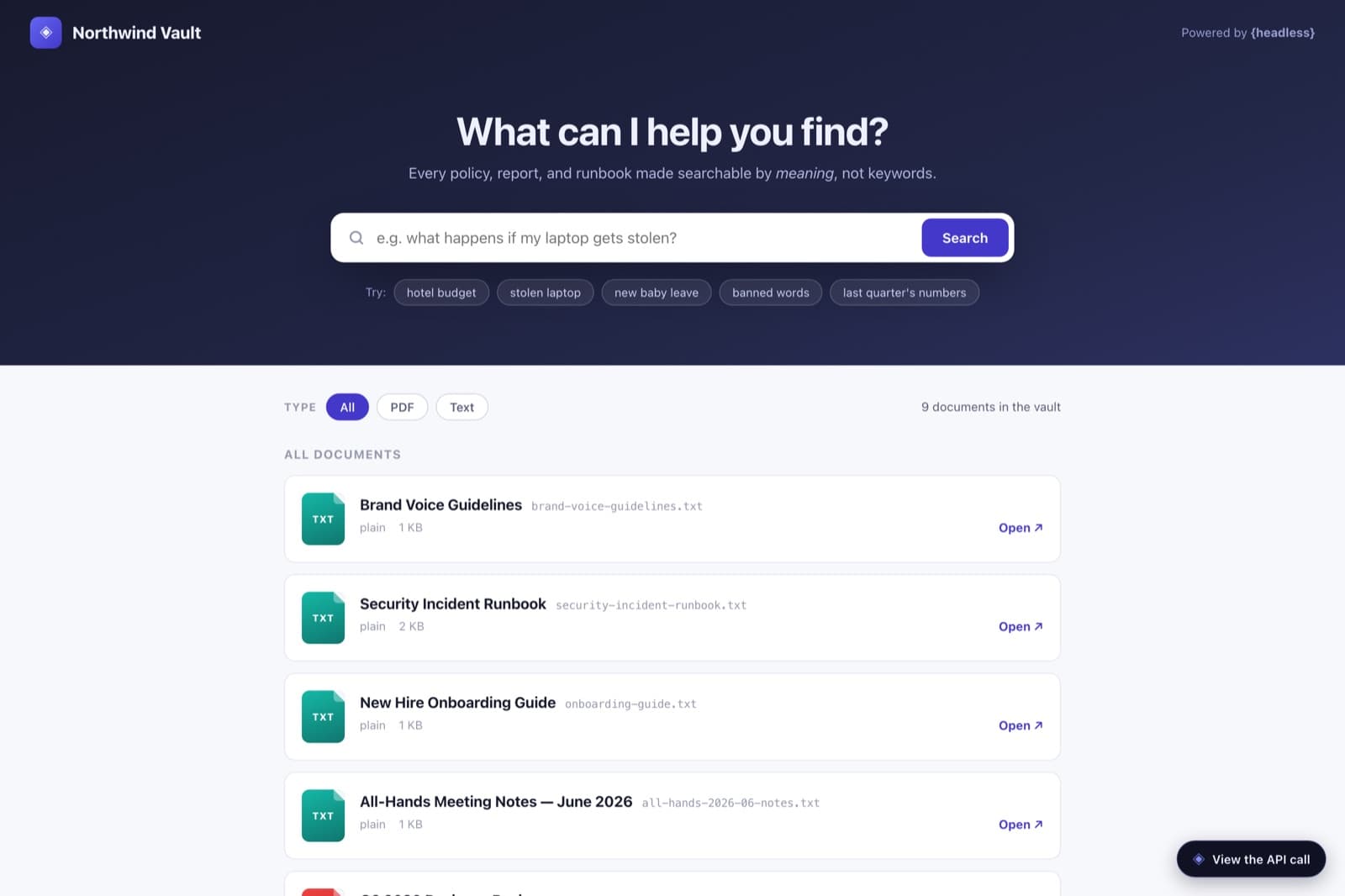
Northwind Vault is a demo document portal built around semantic search. It has no content model at all — it leans on the media library. You upload PDFs and text files, Headless embeds them, and a search for “what happens if my laptop gets stolen” surfaces the incident runbook by meaning, with the matching passage highlighted. Here’s how you’d build your own.
Step 0
The content model
Here’s the shape you’re aiming for. You don’t have to build it by hand — the next steps have an agent create it for you — but it helps to see the target first. Expand a type to see its fields.
mediaMedia7 fields
No content types — just uploaded files. Headless embeds each one so it’s searchable by meaning.
- filenameText
- titleText
- urlTextsigned download link
- mimeTypeTextapplication/pdf, text/plain, …
- sizeNumber
- _similarityNumberrelevance, on search hits
- _matchedChunkJSONthe passage that matched
The recipe
Build your own with an agent
Use this as a blueprint, not a script — adapt the fields and copy to whatever you’re making. Each step is a real prompt you can hand to a coding agent like Claude Code with the Headless MCP server connected; the terminals show the tool calls the agent makes, and the code is what it produces.
Create the project & turn on semantic search
Semantic search is a per-project switch. Have the agent create the project and enable it — from then on, every file you upload gets embedded and indexed by meaning.
MCP · Headless# Create the project and switch on semantic search› claude "Create a project called Northwind Vault and enable semantic search on it"✓ create_project { name: "Northwind Vault", slug: "demo-docs" }✓ update_project { semanticSearchEnabled: true }→ uploads will be embedded and searchable by meaningUpload your documents
There are no content types to model here. Point the agent at your files and it uploads them straight to the media library, where Headless embeds each one in the background.
Claude Code# No content types — just files› claude "Upload our policies, runbooks, and reports — the PDFs and text files in ./docs"✓ upload_media × 9 (filename, content, mimeType)→ 9 documents uploaded, embedded, and indexedMint a read-only API key
The portal searches from the browser, so create a public, read-only key under Project Settings → API Keys. Test it by asking a question in plain language, not keywords.
Terminalcurl -s "https://headless.build/api/v1/demo-docs/media?semantic=stolen%20laptop&limit=3" \ -H "X-API-Key: hls_live_your_read_only_key" | jqBuild the search UI
Now the frontend. Semantic search is just the media endpoint with a `semantic` query parameter — Headless returns each hit with a relevance score and the exact passage that matched, so the UI can show why a result came back.
Claude Code# A search box over the media library› claude "Write a single self-contained index.html: a search box that queries the media library semantically and renders each result with its matched passage and a relevance score"✓ Write public/demos/demo-docs/index.html→ 1 file · one endpoint · meaning-based searchindex.html// Semantic search is just the media endpoint with a `semantic` query. async function search(q) { const params = new URLSearchParams({ semantic: q, // a natural-language question, not keywords threshold: "0.12", // minimum relevance to return limit: "10", }); const res = await api(`/media?${params}`); if (res.semanticSearchEnabled === false) return showEnableNotice(); // Each hit says how well it matched, and the passage that matched. return res.data.map((asset) => ({ title: asset.title, score: asset._similarity, passage: asset._matchedChunk?.text, })); }Ship it
Point it at any pile of documents and deploy. There’s no schema to maintain — the meaning of the text is the index. Drop in a new file and it becomes searchable within moments, no code change required.