Magazine
The Meridian
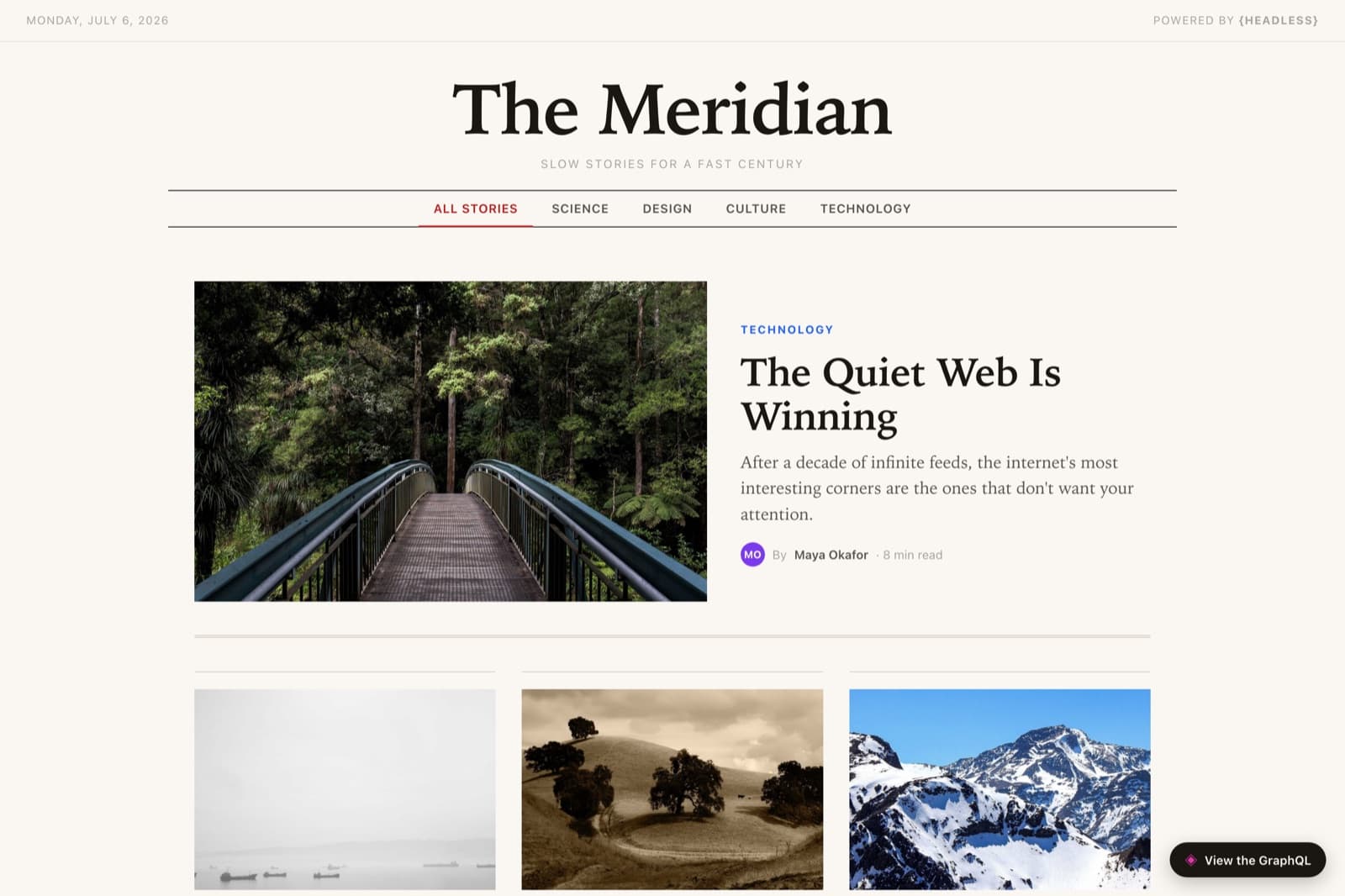
The Meridian is a demo magazine built on the GraphQL delivery API. Stories reference an author and a category, carry rich-text bodies, and move through a draft → published workflow — and the entire front page loads in one typed query that asks for exactly the fields it needs. Here’s how you’d build your own.
Step 0
The content model
Here’s the shape you’re aiming for. You don’t have to build it by hand — the next steps have an agent create it for you — but it helps to see the target first. Expand a type to see its fields.
postCollection9 fields
A story — references its author and category.
- titleText
- dekTextstandfirst / subtitle
- bodyRich text
- heroimageurlText
- featuredBoolean
- publishedatDate
- readtimeNumberminutes
- authorReference→ author
- categoryReference→ category
authorCollection4 fields
A byline, with an accent color for their avatar.
- nameText
- roleText
- bioText
- accentcolorText
categoryCollection2 fields
A section of the magazine.
- nameText
- colorText
The recipe
Build your own with an agent
Use this as a blueprint, not a script — adapt the fields and copy to whatever you’re making. Each step is a real prompt you can hand to a coding agent like Claude Code with the Headless MCP server connected; the terminals show the tool calls the agent makes, and the code is what it produces.
Create the project
The agent creates the project over MCP. GraphQL is generated automatically from your content types — there’s no schema to write.
MCP · Headless# Spin up the project› claude "Create a Headless project called The Meridian for an online magazine"✓ create_project { name: "The Meridian", slug: "demo-magazine" }→ demo-magazine ready · GraphQL endpoint liveModel the content
Build the types authors and categories first, so posts can reference them. Every field you add becomes part of the auto-generated GraphQL schema the same second.
MCP · Headless# Authors and categories first› claude "Add Author (name, role, bio, accent color) and Category (name, color)"✓ create_content_type × 2✓ create_field × 6# Then the stories that reference them› claude "Add a Post type: title, dek, a rich-text body, hero image URL, featured flag, published date, read time, and references to an author and a category"✓ create_content_type { name: "Post" }✓ create_field × 9 (author & category as references)→ every type is instantly queryable over GraphQLSeed the issue
Create a few authors and categories, then stories that link to them. Leave one story as a draft to prove the workflow — the published query won’t return it.
MCP · Headless# Write the issue› claude "Seed four authors and four categories, then eight stories linked to them — publish seven and leave one as a draft"✓ create_entries author × 4✓ create_entries category × 4✓ create_entries post × 8✓ publish_entries { count: 7 }→ 7 published, 1 draft — the draft stays hiddenMint a read-only API key
GraphQL reads happen from the browser, so create a public, read-only key under Project Settings → API Keys. The GraphQL endpoint is one POST — here’s a quick check.
Terminalcurl -s "https://headless.build/api/v1/demo-magazine/graphql" \ -H "X-API-Key: hls_live_your_read_only_key" \ -H "Content-Type: application/json" \ -d '{"query":"{ posts(filter:{status:{eq:PUBLISHED}}){ totalCount } }"}' | jqBuild the front page
Hand the frontend to the agent. The whole front page loads in one GraphQL query: posts filtered to PUBLISHED and sorted by date, plus the authors and categories to resolve their references. (Headless auto-pluralizes type names, so Category becomes `categorys` — aliased back to `categories` in the query.)
Claude Code# The whole front page in one query› claude "Write a single self-contained index.html that loads the published posts with their authors and categories in one GraphQL request, then renders a featured story and a grid"✓ Write public/demos/demo-magazine/index.html→ 1 file · one POST · references resolved inlineGraphQLquery Issue { posts( filter: { status: { eq: PUBLISHED } } sort: { field: publishedAt_DESC } pagination: { limit: 50 } ) { edges { node { id title dek body heroimageurl featured publishedat readtime author { id } category { id } } } totalCount } authors(filter: { status: { eq: PUBLISHED } }) { edges { node { id name role bio accentcolor } } } categories: categorys(filter: { status: { eq: PUBLISHED } }) { edges { node { id name color } } } }Ship it
Deploy the page; the draft you left behind stays invisible until an editor publishes it. That’s the whole workflow — editors write in Headless, hit publish, and the story appears, because the query only ever returns PUBLISHED posts.